System Architecture: A Multi-Stage AI Content Pipeline
At its core, the plugin implements a producer-consumer architecture where WordPress posts are the producers and Vertex AI is the consumer. The pipeline has five discrete stages, each with its own failure domain:
| Stage | Class responsible | Failure mode | Recovery strategy |
|---|---|---|---|
| 1. Trigger | TS_Infographic_Auto_Generator | Post transition missed | Delayed self-healing cron at +30s |
| 2. Queue | TS_Infographic_Auto_Generator | Transient lock collision | Stuck-item cleanup every cron cycle |
| 3. AI Generation | TS_Infographic_Vertex_AI | 429 / 404 / timeout | Exponential backoff (5 min × 2ⁿ) |
| 4. Post-processing | TS_Infographic_Generator | Imagick unavailable | Graceful fallback to unwatermarked WebP |
| 5. Cache invalidation | Generator + Bulk Processor | Plugin not active | class_exists guard — skip silently |
The plugin registers two async WP-Cron hooks at priority 0 on init, ensuring it loads before most theme and plugin code. The entry-point functions ts_handle_async_infographic_generation() and ts_handle_async_pinterest_generation() extend PHP execution time to 360 seconds via @set_time_limit(360), isolating them from the default FPM pool timeout.
Vertex AI Integration: JWT-Based Service Account Auth
Rather than relying on a long-lived API key, the plugin implements OAuth 2.0 service account authentication from scratch inside TS_Infographic_Vertex_AI::get_access_token(). The flow is standard for Google Cloud but rarely implemented directly in PHP without an SDK:
// JWT header + claim assembly for RS256 signing
$header  = ['alg' => 'RS256', 'typ' => 'JWT'];
$claim   = [
    'iss'   => $json_key['client_email'],
    'scope' => 'https://www.googleapis.com/auth/cloud-platform',
    'aud'   => 'https://oauth2.googleapis.com/token',
    'exp'   => time() + 3600,
    'iat'   => time(),
];

// The private key lives outside the web root (TSI_GOOGLE_KEY_PATH constant)
$private_key = openssl_pkey_get_private($json_key['private_key']);
openssl_sign($header_encoded . '.' . $claim_encoded, $signature, $private_key, OPENSSL_ALGO_SHA256);
The JWT is signed with the service account’s RSA-256 private key, then exchanged for a short-lived Bearer token at oauth2.googleapis.com/token. This token is generated per request — there is no in-memory or transient caching of access tokens, meaning each infographic generation incurs one extra HTTP round trip to Google’s auth endpoint before the actual Gemini call.
The Gemini endpoint URL is constructed dynamically based on the configured TS_INFOGRAPHIC_LOCATION constant. When set to global, the plugin routes through aiplatform.googleapis.com; otherwise it targets the region-specific subdomain (e.g., us-central1-aiplatform.googleapis.com). The model in use is gemini-3-pro-image-preview — a multimodal model capable of returning both text and inline image data in the same response.
Content Pre-processing: Reducing Prompt Size Without Losing Signal
Before constructing the Gemini prompt, the plugin runs filter_content_for_infographic(), which strips sections that add noise but no infographic value. The filter targets four specific patterns:
- Yoast SEO and Rank Math FAQ Gutenberg blocks (
wp:yoast-seo/faq-block,wp:rank-math/faq-block) - H2-level “Conclusioni”, “In sintesi”, and “Riepilogo” sections and all content following them until the next H2
- H2-level FAQ and “Domande Frequenti” sections
- Residual FAQ shortcodes (
[yoast_faq],[rank_math_faq])
This approach is architecturally sound: conclusions and FAQs are structurally terminal sections — they restate or expand, not advance the argument. Stripping them before the prompt reduces token count, lowers cost per generation, and improves output focus. The content is then truncated to TS_INFOGRAPHIC_MAX_CONTENT_LENGTH (30,000 characters) before being injected into the prompt.
The prompt itself is constructed to enforce language parity — the plugin maps ISO 639-1 codes (it, en, fr, de, es, pt, ro) to their full names and injects a hard constraint: “Tutto il testo nell’infografica DEVE essere in [Language].” This dual-layer enforcement (code + name) reduces the model’s tendency to default to English or Italian regardless of the target locale.
The Async Queue: WP-Cron, Transient Mutex, and Stuck-Item Recovery
TS_Infographic_Auto_Generator implements a persistent queue stored in WordPress options (ts_infographic_generation_queue). This is a deliberate trade-off: options are immediately available across requests without custom database tables, but they carry the serialization overhead of update_option() on every state transition.
The queue processes one item per cron cycle. A transient-based mutex (ts_infographic_queue_processing, 300-second TTL) prevents concurrent processing:
// Acquire lock — abort if another PHP-FPM worker already holds it
$is_processing = get_transient('ts_infographic_queue_processing');
if ($is_processing) {
    return;
}

// Lock TTL is 5 minutes — generous given the 600-second execution limit
set_transient('ts_infographic_queue_processing', true, 300);

try {
    // ... process one item
} finally {
    delete_transient('ts_infographic_queue_processing'); // always release
}
The finally block guarantees lock release even on PHP fatal errors — a critical pattern when dealing with Imagick operations that can segfault under memory pressure.
A separate cleanup_stuck_items() method runs at the start of each queue cycle. An item is considered stuck if it has been in processing state for more than 900 seconds (15 minutes) without a last_attempt update. Stuck items are either retried (if under the max-attempts threshold) or moved to failed state. The retry is scheduled +60 seconds ahead, giving any resource contention time to resolve.
Rate Limiting and Exponential Backoff: Surviving Vertex AI’s 429 Errors
The Vertex AI API returns HTTP 429 when the request rate exceeds the project quota. The plugin handles this as a first-class error code, distinct from generic failures. When call_gemini_api() detects a 429, it returns a WP_Error with code rate_limit_429 and a retry flag in the error data array:
if ($response_code === 429) {
    return new WP_Error(
        'rate_limit_429',
        $error_message,
        ['retry' => true, 'response_code' => 429]
    );
}
The queue processor intercepts this specific error code and applies a binary exponential backoff. The delay formula is 300 × 2^(attempt - 1) seconds:
| Attempt | Backoff delay | Retry after |
|---|---|---|
| 1 | 300 seconds | 5 minutes |
| 2 | 600 seconds | 10 minutes |
| 3 | 1,200 seconds | 20 minutes |
| ≥ 3 | — | Queue item marked failed, removed |
This is the correct behavior under quota exhaustion: aggressive immediate retries would worsen the problem, while abandoning after three attempts prevents the queue from accumulating unbounded backlog. The Pinterest image pipeline mirrors this pattern but uses a separate per-post meta key (_ts_pinterest_retry_count) rather than the shared queue structure, since Pinterest generation is always triggered as a one-shot 60-second delayed event after successful infographic creation.
Multilingual State: Language-Keyed Meta and Zero-Duplication Rendering
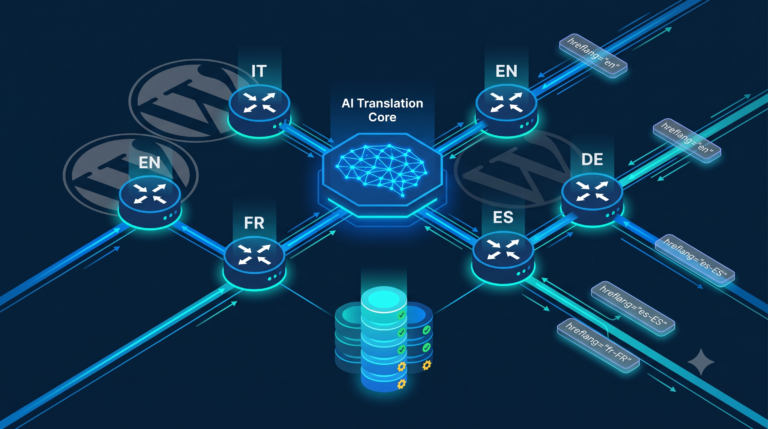
The multilingual model is one of the most architecturally interesting parts of the plugin. Rather than a relational table mapping infographics to post-language pairs, it uses a meta-key namespace convention:
// Default language (Italian): backward-compatible key
'_ts_infographic_id'       // attachment ID for Italian infographic

// All other languages: suffixed keys
'_ts_infographic_id_en'    // English
'_ts_infographic_id_fr'    // French
'_ts_infographic_id_de'    // German
'_ts_infographic_id_es'    // Spanish
'_ts_infographic_id_pt'    // Portuguese
'_ts_infographic_id_ro'    // Romanian
At render time, TS_Infographic_Multilingual hooks into the_content at priority 12 (before social share buttons at priority 20, after block rendering). The logic follows a strict invariant: at most one infographic block must appear in the output, regardless of how many languages the post has translations for. This is enforced via a placeholder-swap pattern that prevents regex passes from matching the freshly injected HTML:
// Use a unique placeholder to avoid re-matching the newly inserted HTML
$placeholder = '';

foreach ($patterns as $pattern) {
    $content = preg_replace_callback($pattern, function($matches) use ($placeholder, &$first_replaced) {
        if ($first_replaced) return ''; // Remove duplicates
        $first_replaced = true;
        return $placeholder; // Hold position for the translated image
    }, $content);
}

// Now safely inject the translated image at the placeholder position
if ($first_replaced) {
    $content = str_replace($placeholder, $new_image_html, $content);
}
This design avoids a common pitfall when doing content manipulation with multiple regex passes: each substitution could create new matches for subsequent patterns. The placeholder acts as a state barrier between passes.
The auto-generator also enforces language isolation at queue entry time: translated posts (identified by the _tsm_original_post_id meta) are skipped at trigger time. Only original posts — regardless of their language — are queued. This prevents a translation import from triggering a duplicate generation run for the same logical content.
Self-Healing Block Injection: The Content Restorer
TS_Infographic_Content_Restorer solves a specific operational problem: Gutenberg’s block editor can silently drop image blocks during post saves, leaving the meta record (which says an infographic exists for this post) inconsistent with the actual post content. Without recovery, the infographic exists in the media library but never appears to readers.
The restorer hooks into the_content at priority 11 — one tick before the multilingual handler — and checks whether a ts-infographic or ts-pinterest-image CSS class block is present in the content. If the meta record indicates an image exists but the block is absent, it reconstructs the full Gutenberg block markup and injects it at the correct position (after the second H2, or after the second paragraph as fallback). This is a pure read-time operation: the post_content stored in the database is never modified. The injection is applied only to the rendered output.
The trade-off here is significant: a filter on the_content runs on every single-post page load. If the block is always present (the normal case), the restorer exits early after two fast meta reads. But if the block is missing, it does a full content parse and injection on every request until an editor re-saves the post. For a high-traffic post with a broken block, this adds measurable per-request overhead. A better long-term approach would be to detect and repair the stored content at save time via wp_insert_post_data, rather than patching the rendered output at read time.
Cache Invalidation: Coordinated Purge Across WP-Optimize and Cloudflare
When an infographic is generated or removed, the plugin must invalidate three cache layers to ensure readers see updated content immediately. All three purges happen synchronously before returning the generation result:
| Cache layer | Scope purged | API used |
|---|---|---|
| WP-Optimize (server-side page cache) | Single post, homepage, all feeds | WPO_Page_Cache::delete_single_post_cache($post_id) |
| Cloudflare edge cache | Post URL (with and without trailing slash, AMP variant if present) | WPO_Cloudflare_Cache_Sync::purge_cloudflare_post($post_id) |
| WordPress object cache | Implicitly invalidated by wp_update_post() | WordPress core |
Both external purge operations are guarded by class_exists() checks before invocation, making the plugin fully functional without WP-Optimize or its Cloudflare sync add-on. The homepage and feed caches are included in the purge scope because most WordPress themes display the post featured image on the homepage and in RSS/Atom feeds — without homepage purge, readers would see the old version of the post card until the next cache expiry cycle.
There is a subtle ordering issue worth noting: the Cloudflare purge is fired after the post content has been updated in the database. This is correct. Purging Cloudflare before the database write would create a brief window where Cloudflare serves a cache miss to a cold origin that is still returning the old content — effectively populating the Cloudflare edge with a stale copy that would then persist until the next purge or TTL expiry.
Thumbnail Generation Optimizer: Suppressing Third-Party Image Processors
TS_Infographic_Optimizer addresses a concrete performance bottleneck: WordPress’s default wp_generate_attachment_metadata() call triggers every registered image size and every image optimization plugin hook (wp_generate_attachment_metadata filter). For a full WordPress theme with 10–15 registered image sizes plus plugins like WP Smush, EWWW, ShortPixel, or Imagify, this can add 30–90 seconds to each infographic generation — time the plugin cannot afford within the 600-second execution limit when processing bulk batches.
The optimizer uses a two-phase isolation approach:
- Before calling
wp_generate_attachment_metadata(), it firesdo_action('ts_infographic_before_metadata'), which triggersdisable_image_optimization_plugins(). This explicitly removes the filter callbacks for WP Smush, EWWW Image Optimizer, ShortPixel, and Imagify fromwp_generate_attachment_metadata. - After metadata generation (inside a
finallyblock), it firesdo_action('ts_infographic_after_metadata'), which re-adds all removed filter callbacks.
A process-level flag (self::$processing_infographic) backed by a 5-minute transient (ts_infographic_processing) lets the optimize_image_editor() filter promote Imagick to the front of WordPress’s image editor priority list during infographic processing. This ensures the fastest available editor is used for thumbnail generation, without modifying WordPress core configuration.
The double-storage of the flag (static property + transient) is intentional: a static property is only visible within the current PHP process. If a second FPM worker runs an unrelated image upload while infographic processing is in progress in another worker, the transient ensures it also sees the optimization state — preventing the edge case where a concurrent upload bypasses the size filter and triggers all optimization hooks unnecessarily.
The Pinterest Pipeline: Deliberate 60-Second Delay and Image Variants
Pinterest image generation is intentionally decoupled from infographic generation. After a successful infographic, the auto-generator schedules a single one-time cron event 60 seconds later (ts_delayed_pinterest_generation). This delay is the primary mitigation for Vertex AI’s 429 errors: two consecutive API calls from the same GCP project in rapid succession are the most common cause of rate limit exhaustion on lower-tier quotas.
TS_Pinterest_Generator supports multiple image variants for the same post:
- Standard Pinterest pin — 9:16 ratio (1080×1920px), stored in
_ts_pinterest_id[_lang] - List variant — same dimensions but structured as a “key takeaways” list layout, stored in
_ts_pinterest_variant_list[_lang]
Each variant is language-specific. The generator checks all supported language keys before concluding that no Pinterest image exists, preventing duplicate generation when the same post has been processed in multiple languages. Note that this cross-language existence check was deliberately disabled in a recent revision (the relevant code block is commented out): the team determined that Pinterest pins must carry language-specific text and calls to action, so sharing a single Italian pin across French and Spanish translations is semantically incorrect even though it reduces API calls.
Once a Pinterest image is generated, TS_Pinterest_API::maybe_publish_pin() is called to push it directly to the configured Pinterest board via the Pinterest API — closing the loop between content generation and social distribution without manual operator intervention.
Bulk Processor: Sequential Batch Execution via Per-Item Cron Events
TS_Infographic_Bulk_Processor handles retroactive generation across an existing post archive. Rather than spawning a long-running PHP process, it chains individual wp_schedule_single_event() calls to create a self-sustaining waterfall of cron-based task execution:
// Each item schedules the next one — constant GENERATION_DELAY = 30 seconds
wp_schedule_single_event(
    time() + self::GENERATION_DELAY,
    'ts_process_next_bulk_infographic',
    [$batch_id]
);
This design has a hard throughput ceiling of two infographics per minute (one per 30 seconds, for both infographic and Pinterest batches). For archives of 500+ posts, a full bulk run takes several hours. The advantage is negligible peak memory usage: each FPM worker processes exactly one item and exits, rather than holding open a 500-item result set. The batch state (current index, errors, progress percentage) is persisted in WordPress options and polled via an AJAX endpoint (ts_get_bulk_status) to drive a real-time progress indicator in the admin UI.
The bulk status endpoint also aggregates in-progress operations from other plugin queues — it reads WP-Cron’s internal schedule array to detect pending ts_generate_faq_async, ts_generate_howto_async, and similar hooks from companion plugins, presenting a unified batch monitor panel to the operator without requiring inter-plugin coordination contracts.
Bottlenecks, Trade-offs, and Architectural Constraints
Several design decisions in this plugin reflect real operational constraints rather than ideal architecture.
WP-Cron latency. WordPress’s pseudo-cron fires only on HTTP requests. Under low traffic, a queued infographic may sit unprocessed for minutes. The standard mitigation — a real system cron job calling wp-cron.php every minute — is assumed but not enforced by the plugin. Without it, the self-healing 30-second delayed check provides a fallback, but it requires a page view to fire.
Options table contention. The queue is stored as a single serialized array in wp_options. Under concurrent writes (e.g., a bulk processor and an auto-generator both active simultaneously), the last writer wins. The transient mutex partially mitigates this for the queue processor, but state updates from bulk batches (which run in parallel with the auto-generator) are not serialized relative to each other. In practice, the 30-second per-item delay in bulk processing makes true race conditions unlikely, but not impossible.
Access token lifetime. The plugin generates a fresh JWT and exchanges it for an access token on every generation call, with no caching. Google access tokens are valid for 3,600 seconds. Caching the token in a transient (with a 3,500-second TTL to account for clock skew) would eliminate one HTTPS round trip and ~200–400ms of latency per generation. Under bulk processing with 30-second spacing, this is the most impactful low-cost optimization available.
Content restorer on every request. As noted above, the read-time block injection in TS_Infographic_Content_Restorer runs on every single-post load. For posts where the block is present, this is a fast no-op (two get_post_meta() calls and a strpos() check). For posts where the block is absent, it degrades into full content manipulation on every page view. An object-cache-backed flag per post ID would turn the “block is absent” case from an O(n) content scan into a single cache lookup.
Gemini image generation non-determinism. The API call uses temperature: 0.4 with topK: 32 and topP: 1. These settings favor moderate diversity, meaning two generation calls on the same content will produce visually distinct infographics. This is intentional for quality variation on regeneration, but it means the idempotency guarantee the plugin tries to enforce (skip if already exists) is the only mechanism preventing unbounded re-generation costs.
WebP Output, EXIF Injection, and Media Library Integration
All generated images — infographics and Pinterest pins alike — are stored as WebP at quality 80. The conversion uses Imagick directly rather than WordPress’s WP_Image_Editor abstraction, which ensures consistent behavior independent of whether GD or Imagick is set as the system default. The watermark is applied using Imagick::COMPOSITE_OVER onto an extended canvas — the base image height is expanded by logo_height + (2 × logo_margin) pixels, providing a clean bottom gutter where the brand logo sits without overlapping content.
Before the attachment is registered with WordPress, the plugin calls TS_Image_Metadata::inject() to embed XMP/IPTC metadata directly into the WebP binary: the image title is set to "Infographic: [post title]", the description to a standard prefix, and keywords are sourced from the post’s WordPress tags. This metadata is preserved across Cloudflare’s image optimization pipeline and makes the generated assets attributable in downstream DAM systems or when the image is downloaded and shared independently.
The attachment’s caption (stored in post_excerpt per WordPress convention) includes a link to a Visual Hub page (/visual-hub/?img={attachment_id}#img-{attachment_id}), turning every infographic into a crawlable social sharing entry point. Alt text follows the pattern "{post title} - [language-specific suffix]", which is correctly language-aware because the suffix is pulled from TS_Infographic_Multilingual::get_translated_string() at insertion time.